Posted in digital devices and gadgets, digital parenting, parents and technology, risky behavior, scams and fraud

Technology Scams: An Overview

In the digital era, parents need basic knowledge of online scams that have the potential to cause mayhem on a family’s digital devices

A quick and easy-to-read overview of potential online  scams, Social-Media Scams Abound but They Can be Avoided, appeared in the Washington Post on November 14, 2010.  The Kiplinger Personal Finance article, by Casey Mysliwy, goes over three types of malicious behaviors that can trip-up even the most savvy digital media users. If you missed this description of potential digital problems, take some time to read the article as well as share it with family members who computers, the web, or smart phones. The three potential scams are:

  1. Messages that involve money transfers and seek personal information;
  2. Applications that offer a quiz, game, or other method that encourage you to share personal details; and
  3. Shortened URL (web addresses) that hide a destination’s true identity because the address is simply a group of characters.

You can also check out 5 Social Media Scams at the Norton AntiVirus site and New Jersey Officials Warn Residents About Social Media Scams at the New Jersey Today website.

Posted in cell phones, digital devices and gadgets, electronics show, parents and technology, technology changes

CES – Consumer Electronics Show

What’s a parent to do when an unrelenting parade of electronics gadgets and devices appears on the scene and especially on kids’ radars? How can we keep up, let alone be prepared and figure out a few things? To learn a bit, pay attention to the articles and blog posts coming out of the 2011 Consumer’s Electronic Show, occurring now and ending on January 9, 2010 — but the content will be timely for months. A good number of products, some on the cutting edges, debut at the show, though some are not available for purchase  right this minute, and more than a few others may not even be in production yet. Most of the items, however, will be at your local or online vendor quite soon.

For instance… Need a gadget to help you take better pictures because yours are always blurry or bothered by too much light? Check out the Kodak easy-share camera at left, due out soon, a product that is supposed to figure out how to take a good picture even when you have no idea how to do it.

Continue reading “CES – Consumer Electronics Show”

Posted in digital parenting, good books to read, parent education, parents and technology

Bullying and Cyber-bullying: Myths and Reality

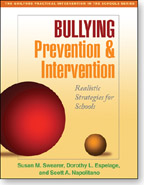
Read Five Myths About Bullying in the December 30, 2010 Washington Post. While the media focuses on the high-profile cases of bullying and cyber-bullying, the author of this article, Susan M. Swearer, a co-author of Bullying Prevention and Intervention: Realistic Strategies for Schools, writes that the relentless coverage may distract schools and parents from more traditional types of bullying. While technology has made bullying worse, a significant  number of students are bullied without the use of technology.  The author points out that:

While it’s hard to stereotype bullying behavior in every school in every town in America, experts agree that at least 25 percent of students across the nation are bullied in traditional ways: hit, shoved, kicked, gossiped about, intimidated or excluded from social groups.

The article mentions and links to several programs that have been successful at reducing bullying behavior. Swearer, who is an associate professor of school psychology at the University of Nebraska, Lincoln, points out that, “…when awareness of bullying becomes as much a part of school culture as reverence for athletics or glee club, we’ll have a shot at finally stopping it.”

Posted in cell phones, iPhones and iPads, parents and technology, technology support

Useful Info for iPhone and iPad Owners

If anyone in your family received a iPad or iPhone for a holiday gift (I discovered an iPad under my tree.), or if you already have these devices in your home, consider getting acquainted with the Today in iOS podcast series, a program series that devotes itself  to the world of  iPads and iPhones.

Originally called Today in iPhone — I’ve been listening since May 2009 — its name morphed in the spring of 2010 when Apple released the iPad. Subscribe to the podcast from iTunes or download the programs from the program website. Today in iOS also has its own nifty app, enabling users to download and listen to programs without going through the machinations of syncing and downloading from iTunes. Very handy.

Click to visit!

Whether you own a personal iOS devices or merely supervise your child’s ownership, this is the place to find interesting information about apps, answers to questions, and lots and lots of background information. Listeners can e-mail, call, or even use the recording app on their devices to make and send an audio message. An archive of past shows on the Today in iOS website, and sometimes I download a group of older programs and listen to them in while I am driving.

Continue reading “Useful Info for iPhone and iPad Owners”

Posted in cell phones, digital parenting, online security, online tracking, parents and technology, teens and technology

Do You and Your Child Have ANY Digital Privacy?

New gadgets are great with new capabilities, advanced features, stellar communications, and exciting applications. Everything is perfect, right? Not really and especially not with the smart devices that children and adolescents carry.

As I work and play with my iPhone and iPad, the world seems pretty good. Yet, on the down side is my decreasing privacy. My two devices share a lot of my personal information with others — something I hardly ever think about when I am using the iPhone or iPad. Thinking, however, is a good idea, as is looking over a child’s Internet-connected devices and talking about what should be turned on and what should be turned off.

Continue reading “Do You and Your Child Have ANY Digital Privacy?”

Posted in acceptable use, cell phones, digital citizenship, family conversations, parents and technology, teens and technology

Make a Digital Action Plan for Kids’ New Gadgets

 Any time a child receives a new digital device, parents need to update or introduce a digital gadget action plan — something akin to the rules-of-the road that are so critical to new teenage drivers. Flashy new smartphones, iPads, iPod Touches, music players, computers, laptops, notebooks, and video games — most connected in some way to the exciting, but rough and tumble world of the Internet — require parents to focus just as intently as they do on driving lessons. Sometime during the first week of gadget ownership, and especially before school vacation ends, sit down with your child and go over the expectations in your action plan.

My New iPad

Even as a youngster thrills to the capabilities of a new device, the potential for digital mistakes and judgment errors exists. A short, sarcastic comment or text can be perceived as cyber-bullying when it reaches its destination. A game can be played online with someone who is more interested in your child than the game. A couple of less than thoughtful words, sent to one person, can be forwarded easily and embarrassingly to many others. The right time to talk about acceptable use and intention versus consequence is when the device is new.

A digital action plan — an agreement, contract, or list of guidelines between you and your child — anticipates potential issues and lays out specific expectations that will arise when a youngster uses a digital device in the wider, less supervised, world.

A Few Points to Emphasize in Conversations With Your Child Continue reading “Make a Digital Action Plan for Kids’ New Gadgets”

Posted in digital parenting, online health resources, parent education, parents and technology, research on the web, web research

Immunizations: Digital Resources for Families

When we are sick or injured or when we are planning to travel, we often try to recall past immunizations as well as determine if boosters are required. Yearly flu shots are fairly easy to remember. However, the boosters that update past inoculations are more difficult to recall. Most adults do not keep good enough inoculation records and because we move from place to place, or at least doctor to doctor, our medical charts are not as complete as they should be.

The MedlinePlus immunization page provides lots of information for families. Moreover, if you family is traveling the CDC’s Travelers’ Health page also gives vaccination information to help everyone prepare for the trip.

Early this fall, because of my work, I went to my doctor to get a booster for pertussis, and sure enough, cases in my area right now. I am glad I got the booster. Check this pertussis information website at CDC for more information.

For a great immunization review, take this Adolescent and Adult Vaccine Quiz. When you finish click the My Results button.