Posted in digital parenting, online security, parents and technology, privacy, social media, social networking

Best Instructions for Disabling Facebook Facial Recognition Feature

Facebook has tossed out another challenge to family members, including grandparents, who seek to maintain privacy while still enjoying the social interaction that the social network offers.

Here we go again with facial recognition.

Find instructions for disabling the new Facebook facial feature at the BBC blog, WebWise: A Beginner’s Guide to Using the Internet. I’ve compiled the basic steps after reading a number of posts about the new facial recognition additionbut read the whole BBC post for the simplest and most comprehensive explanation.

  • Go to Account.
  • Go to Privacy Settings.
  • Click on Customize Settings (itty-bitty blue link at the bottom).
  • Find the category, Things Others Share.
  • Find the words Suggest photos of me to friends and click the edit settings button.
  • Naturally…Facebook’s default has enabled the feature so you want to click on the button that disables the feature.
  • Click OK.

Continue reading “Best Instructions for Disabling Facebook Facial Recognition Feature”

Posted in digital citizenship, digital parenting, media literacy, parent child conversations, parents and technology

Kids, Parents, and Those Very Public Digital Mistakes

Made with Wordle.

Attention!

Another public figure has made yet another public digital gaffe, giving parents one more opportunity to engage the family in a discussion about the unrelenting power of digital tools.

Representative Weiner (D-NY) is just the latest, and it looks like public figures and celebrities will continue to make these public mistakes, like clockwork, for a long time to come. We can laugh at the ineptness of these public personalities, but the bottom line is that we are all one instant gratification click away from making a public and embarrassing error.

Although we may worry about the safety of our children and their activities on the web, most of these problems, while alarmingly publicized and widely and repetitively covered in the media, are not the biggest risk for children.

What we should dread, however, is the potential harm from a digital misjudgment spontaneously sent off via e-mail, text, Twitter, voicemail, or whatever else we all find to use in the future. Instant digital missives, unlike the gossipy handwritten notes we adults used to pass around to a few people at school, can instantly become public and humiliating. Or they can lie quietly, waiting in the vastness of the web, until some reason arises for people to seek out information about us.

The New York Times article, Erasing the Digital Past, is a must-read for everyone who uses electronic tools and toys, pointing out that the electronic world is public, permanent, and non-erasable. Watch the digital footprint video (embedded at the bottom of this post) from Harvard’s Berkman Center for Internet and Society to learn even more. Continue reading “Kids, Parents, and Those Very Public Digital Mistakes”

Posted in cyber-bullying, digital citizenship, digital parenting, family conversations, online safety, parent child conversations, parent education, parents and technology, teens and technology

Teens, Parent Anxiety, and the Internet

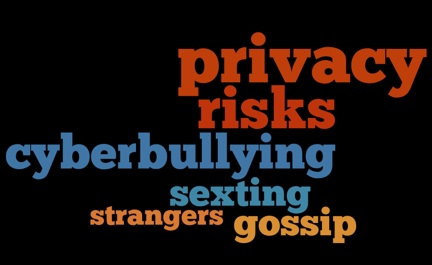
Made with Wordle!

Day after day frightening stories bombard us with warnings about what might happen to children and teens when they use the Internet and World Wide Web, so it’s useful to remind ourselves that these digital resources can provide our children with unparalleled opportunities to learn, socialize, and become active citizens. An article, Our Overblown Paranoia About the Internet and Teens, recently published in the online publication, Salon, provides just such a reminder.

Pediatrician Rahul Parikh, who practices in the San Francisco Bay area, points out that, despite all of our anxiety about teens and Internet risks, no statistics really exist to offer a full picture of the incidence of exposure to risk. Those few that do are often biased because of a common problem for research, posing questions to get the desired answer. Situations that do occur are often covered by a hysterical media, making us feel like a problem happens over and over, just around the corner. Continue reading “Teens, Parent Anxiety, and the Internet”

Posted in digital citizenship, digital parenting, electronic communication, parents and technology, social media, teens and technology

7 Ways Today’s Teens Communicate — Some Surprises

Check out this cool graphic from the Pew Internet and American Life Project.

These graphs (click on the image to go to a larger picture at the Pew site) depict the various ways teens communicate. Notice how low e-mail ranks among the electronic forms of communication that today’s teens use. The data come from a survey of teens age 12 – 17 conducted as a part of the research for Pew’s report, Teens and Mobile Phones.

From the Pew Website

The graphic below shows daily use of a variety of communication technologies – and suggests that while text messaging as a daily activity for teens has grown astronomically over the past three years, other communicative technologies have remained relatively stable or have declined slightly, suggesting that the increase in texting has layered on top of the other modes of communication that teens employ.

Other Interesting Pew Internet Reports include Social Media and Young Adults and Teens and Sexting, both released in 2010.

Thanks to Pew for reminding me of this research via Twitter (@PewInternet).

Posted in acceptable use, digital devices and gadgets, digital parenting, family conversations, home computer security, online security, parents and technology

4 Basic Rules to Secure the Computers in Your Household

FBI Bunny helps me teach my students about digital citizenship and security.

Brian Krebs, over at the blog Krebs on Security, has posted 3 Basic Rules for Online Security.  From his perspective, and I agree, just about everything can be distilled into these three guidelines. To read the more detailed explanations, head on over to his post. Keep these three rules in mind, day in and day out, as you work on your computer and your kids work on their devices.

  1. If you didn’t go looking for it, don’t install it
  2. If you installed it, update it.
  3. If you no longer need it, remove it.

For those of us who wish we possessed a bit more of the “geekiness” factor (a term I use affectionately), these three rules, especially numbers one and two, should be household digital policy. While Krebs’ three precepts are broad, they will, if followed, prevent lots of computer trouble.

I will add a fourth rule for families. Digital parents, not their digital children, should administer the computers in a household, at least until a child has demonstrated a fair understanding about potential security problems. In my household, this included the ability to explain the basics of avoiding virus, spyware, malware, digital citizenship and digital footprint issues (also see rules one and two) and the ability to appreciate potential consequences. A child can learn a lot while administering a computer, however, before taking on the task, he or she needs to possess a strong sense of responsibility and the knowledge of what can go wrong.

Krebs is a journalist, formerly of the Washington Post, who writes on security issues.

Posted in Bookmark It!, digital citizenship, digital parenting, online safety, online security, parents and technology, resources to read

FTC Net Cetera and OnGuard Online Family Website – Bookmark It!

Visit OnGuard Online

Are you searching for reliable tutorials to help you learn more about managing digital-age parenting topics? Check out the short book Net Cetera: Chatting With Kids About Being Online. Simple, straightforward, and easy to read, this publication covers most of the relevant digital topics, and its comprehensive table of contents is a ready-to-use outline that can help to guide virtual world family conversations. Net Cetera, published by the Federal Trade Commission (FTC), is also available as a PDF download. Moreover, the booklet can be ordered in quantity for a PTA, book club, church activity or other parent group.

The FTC website, OnGuard Online, which features Net Cetera, is also a repository of information that can help parents to address concerns with their digital children. Each subject is covered with three sections, starting with a review of the “Quick Facts.” A more detailed explanation follows with a section of links that connect to additional online resources.

Topics include:

  • Kids Privacy
  • Computer Disposal
  • Identity Theft
  • Scams
  • Social Networking
Visit OnGuard Online


This site, and especially the Net Cetera booklet, is useful for everyone in a family, including grandparents or other seniors.  The type can be adjusted so that it is larger, and many of the topics covered provide information that is critical for aging family members to understand, and perhaps grandchildren can help do some of the teachings.

Posted in answers to media questions, cultural changes, digital parenting, parents and technology, social media, social media friends, technology changes

Why Social Media? Especially Why in My Child’s Classroom??

Read this thought-provoking post, Why Social Media Tools Have a Place in the Classroom, over at the GigaOM blog. Writer Ryan Kim goes into considerable detail describing reactions to a recent New York Times article, Speaking Up in Class, Silently, Using Social Media. Kim’s blog post then goes on to offer some compelling reasons why teachers (and probably parents, too) should examine social media more thoughtfully before rushing to judgement.

Learn a bit more about the GigaOM blog.