Posted in 21st Century Learning, attributing sources, digital kids, digital learning, digital learning resources, parents and technology, plagiarism

Thoughts About Plagiarism in the Digital World

Designed with Wordfoto!

Originality matters when digital children write and learn, but many 21st Century students have considerable difficulty understanding what the idea of original content really means.

Check out How the Internet Affects Plagiarism at KQED Mindshift, a blog post that describes how plagiarism is evolving in today’s digital world. According to the article, students today do less looking for “unoriginal content” at sites that sell papers or other pre-written documents (compared to the past), and they use lots more content from the almost unlimited digital resources that are available on the Internet.

Mindshift’s post is based on a recently published white paper published by TurnItIn, one of the most well-known plagiarism detection software tools. The paper points out how today’s students tend to discover and share work via social media, use Wikipedia regularly, and continue to copy content from encyclopedias. Read the article for a more thorough summary.       Continue reading “Thoughts About Plagiarism in the Digital World”

Posted in 21st Century Learning, embedding a YouTube video, YouTube

Embedding a YouTube Video – Getting Started

The other day a parent asked me to review the steps for embedding a YouTube video on a blog or in PowerPoint. It’s easy to do. It’s also useful for parents to know a bit about using videos because, in the coming years, your child will likely be using YouTube videos as a part of reports and presentations.

As an example I am using the Mayo Clinic’s video guide to social media. Mayo produced this in-house movie to serve as a teaching tool for members of the medical community, informing staff about social media user responsibilities. The video is a model for any organization that wants to help employees learn more about using social media as well as other digital issues in professional life.

Once you discover a YouTube video that you want to share or embed and know where you want to put it (blogs, PowerPoint, etc.), scroll down so you can see the words just below the video. Click on the word share.

embed video 2

Continue reading “Embedding a YouTube Video – Getting Started”

Posted in 21st Century Learning, 21st Century parenting, acceptable use, cell phones, digital devices, digital devices and gadgets, parents and technology

Getting Your Child a Cell Phone This Summer? Read This First!

It’s summer 2013…

…and lots of families will soon purchase a new mobile phone for a fifth, sixth, or seventh grade child.

cell phoneRemember, however, you are not just handing over a telephone. A child is getting a mini-computer — a digital device  that takes pictures, shares locations, communicates via text, e-mail, and phone calls, and easily installs apps that connect in all sorts of other ways. A new cell phone networks your child in nearly unlimited ways to the entire world, and most of what he or she sends on the web via cell phone will never be deleted.

Before handing over the new mobile device, 21st Century parents need to think about how they want digital kids to use their new prized possessions and also about what they don’t want children to do.

Adults can be specific and clear about what is acceptable by setting up a cell phone user contract. Use an agreement word-for-word from the list of links on this blog. Or copy one of the contracts as a template and write a more personalized version that is appropriate for your family. Today’s kids are 21st Century learners, eager to use and explore the digital world — a great way to be — but parents need to set clear expectations that help to ensure that a child explores and experiments as much as possible without humiliation and  embarrassment.            Continue reading “Getting Your Child a Cell Phone This Summer? Read This First!”

Posted in 21st Century Learning, 21st Century parenting, apps, digital devices, digital parenting, parents and technology

More Apps, More Experimenting, More Tween-Teen Public Mistakes

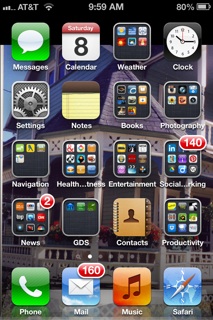
Image snapped on my mobile device.

Read Washington Post reporter Cecilia Kang’s April 6, 2013 article, Instagram Beauty Contests Worry Parents, Privacy Advocates, a piece that brings teachers and parents up to date on the current Instagram beauty contest craze among tweens and younger teens.

It’s all so simple. Combine normal growing up with unsupervised digital device apps and add in kids’ occasionally poorly thought-out decisions — and you have a recipe for problems. Many educators, who are aware on a daily basis of the increasing difficulties created by kids’ freewheeling app use, will tell you that it’s predictable. Also, it’s destructive to 21st Century learning communities.

An April 4, 2013 post, Beauty Is Only Skin Deep but Instagram Is to the Bone, by Huffington Post blogger Holly Actman Becker, offers a chatty but detailed romp through the current beauty contest experience from a mom’s perspective and with an interesting result. (Note: I enjoyed reading this post, but if you prefer your prose formal and straight-laced, this isn’t for you. I also wonder just how the author did not know that the minimum age is 13?)

Make no mistake –I love my digital devices. I enjoy using them, talking about them, and sharing information about how they work with my students. Moreover, I do not believe that children and adolescents should have their mobile devices taken away. (OK, a few of these children do need to have an old-fashioned time out from their new-fangled gadgets.)  Continue reading “More Apps, More Experimenting, More Tween-Teen Public Mistakes”

Posted in 21st Century Learning, 21st Century parenting, apps, QR codes, quick links, quick resource codes

Short QR Code FAQ

(A follow-up to the post on QR codes.)

After posting my most recent piece on quick resource (QR) codes, a number of questions reached me via e-mail and the blog’s comment section. So here’s a short FAQ that answers these questions

Q: Are QR codes an app of some kind?

A: No, a QR code is not an app, but it is a new way to connect — without an actual address — to Internet content. A quick resource symbol can appear anywhere, but you are most likely to see one on paper or signs —  non-digital locations — making it easy for an individual to open the app on a smartphone, aim, scan, and connect. Quick resource codes are a bit like bar codes, found everywhere in daily life, except that right now QR codes are less common than bar codes.

Q: Can I control my child’s access to QR codes?      Continue reading “Short QR Code FAQ”

Posted in 21st Century Learning, 21st Century parenting, apps, parents and technology, QR coder, quick resource codes

QR CodeTutorial: Updated Post With Illustrations

QR Codes. You’ve probably seen them around — on everything from cereal boxes to magazines to advertising banners on the bus or in the subway.

QR is short for quick resource code (QR code), the scannable geometric-looking design that connects a person via smartphone to digital information such as an e-mail site, a video, a website, or even a telephone number. QR codes are similar to bar codes, but the QR image contains far more encoded information — thousands of times more, in fact. Learn more about QR codes at the Common Craft video tutorial site.

A QR code is essentially a shortcut that leads to digitized information. It might be, for instance, at the end of a book chapter, linking the reader to more content on a topic, or on a billboard. It could link conference attendees to a workshop handout or schedule. Continue reading “QR CodeTutorial: Updated Post With Illustrations”

Posted in 21st Century Learning, 21st Century parenting, apps, QR codes, quick links, quick resource codes

All About QR Codes

QR Code Parents
This QR code leads to a digital parenting wiki site that my colleagues and I created.

QR Codes. You’ve probably seen them around — on everything from cereal boxes to magazines to advertising banners on the bus or in the subway.

QR is short for quick resource code (QR code), the scannable geometric-looking design that connects a person via smartphone to digital information such as an e-mail site, a video, a website, or even a telephone number. QR codes are similar to bar codes, but the QR image contains far more encoded information — thousands of times more, in fact. Learn more about QR codes at the Common Craft video tutorial site.

A QR code is essentially a shortcut that leads to digitized information. It might be, for instance, at the end of a book chapter, linking the reader to more content on a topic, or on a billboard. It could link conference attendees to a workshop handout or schedule.      Continue reading “All About QR Codes”